This is a Chrome browser plugin that simplifies getting chromosome data from MyHeritage to a Chromosome Map on dnapainter.com.
The Plugin is not affiliated to either MyHeritage or DNAPainter!
Installation Instructions
Go to the Chrome Web Store, search for “Chromosome Mapping Helper for DNA Painter” and install it from there
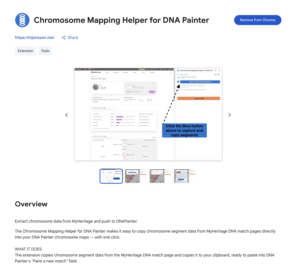
Usage
Chromosome Mapping Helper for DNA Painter – Walkthrough
Privacy
This extension does not collect, store, or transmit any personal data. All chromosome segment data is read from pages you manually open in your browser and is processed entirely locally. Data is only written to DNA Painter at your explicit request. No analytics or tracking of any kind is used.
Extension ReadMe Contents
# Chromosome Mapping Helper for DNA Painter
Captures chromosome segment data from MyHeritage DNA match pages and transfers it to [DNA Painter](https://dnapainter.com) chromosome maps — with one click.
—
## Installation
Search for **Chromosome Mapping Helper for DNA Painter** in the Chrome Web Store and click **Add to Chrome**. The DNA Painter icon will appear in your toolbar — click it to open the side panel.
—
## How to use
### Step 1 — Navigate to a DNA match page
On [MyHeritage](https://myheritage.com), open a DNA match page. Scroll to the bottom so the chromosome browser has fully loaded (it loads last on the page).
### Step 2 — Capture & copy segments
Click **Capture & Copy Segments** in the side panel. The segment data is captured and copied to your clipboard.
### Step 3 — Paste into DNA Painter
Open [DNA Painter](https://dnapainter.com), go to your chromosome map, click **Paint a new match**, and paste. The extension detects when this dialog is open and highlights the step for you.
### Step 4 — Paste match details (optional)
After saving the painted segments, DNA Painter shows a **Save Match** dialog with a notes field. Your match details (name, relationship, shared cM, labels, notes, source URL) are pre-loaded to the clipboard — just paste into **Segment / Match Notes**.
—
## Tips
– **No data captured?** The chromosome browser loads last — scroll to the very bottom of the match page to trigger it, then try again.
– **Some matches have no chromosome data.** If that’s the case, there is nothing to capture.
– The extension works on MyHeritage .com, .se, .dk, .fi, and .no.
—
## Privacy
No data is collected or transmitted to any third party. Segment data is read from your local MyHeritage session and written to DNA Painter only at your explicit request, entirely within your own browser.
—
## About
Created by [Mattias Johnsson](https://mjonsson.me) — [mjonsson.me →](https://mjonsson.me/chrome-plugin-to-simplify-chromosome-mapping-in-dna-painter/)
This is an independent tool and is not affiliated with, endorsed by, or associated with DNA Painter or MyHeritage. All trademarks belong to their respective owners.
MIT License — see [LICENSE](LICENSE)